Finance for a freelancer or small business
Invoices and expenses for a freelancer or small business
What you get
- Clients and invoices with a PDF
- Pay online through your own Stripe
- Overdue reminders every morning
- Expenses with receipt uploads
- Monthly summary
The prompt
Change the names, prices and details to yours. Your AI needs LazyFrog connected first: two minutes.
Use LazyFrog to build invoicing and expenses for my design studio: clients, invoices with a PDF, expenses with receipt photos, and a monthly summary. Just for me, behind a password.
The live demo
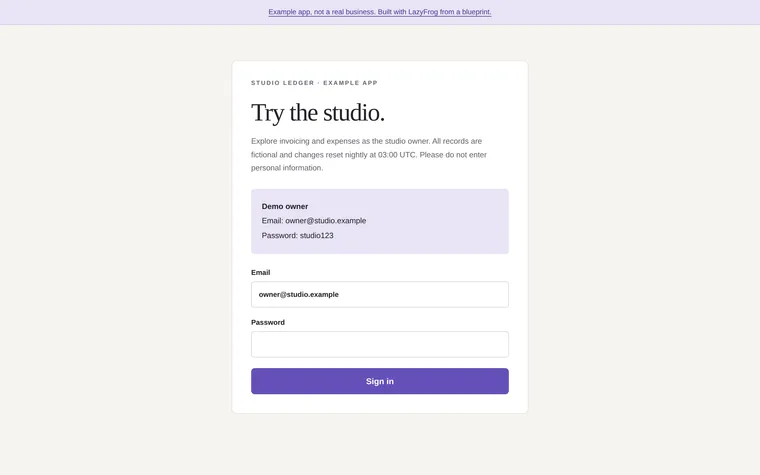
What Codex built from that prompt on 14 November 2026, in about 1 minute, then published as an example. Try it: what you add is put back every night.
| Owner | owner@studio.example | studio123 |
|---|
The full spec
The same app with every detail named: the pages, fields and tables. Use it when you want exactly this app; the short prompt leaves those choices to your AI.
Use LazyFrog to build invoicing and expenses for my design studio. Everything for me lives under /admin, protected with LazyFrog's protected pages (I'll choose the password in the portal). Clients go in a table called clients (name, email), invoices in invoices (number like INV-0001, client_id, issued_on, due_on, status as draft, sent or paid, public_token) with their lines in invoice_lines (description, quantity, unit_price), and expenses in expenses (spent_on, description, category, amount, receipt_path). Each invoice has a page for the client at /i/<public_token>, rendered on the server on every request (its lines, totals and number in the HTML itself, never cached or filled in by the browser, so it shows straight away from a link in an email), with a "Pay online" link to /i/<public_token>/pay, which starts a Stripe Checkout payment on my own Stripe account, and the invoice is marked paid from Stripe's webhook; I'll add my Stripe key on LazyFrog's page for it, never in this chat, and until then the pay page says online payment isn't set up yet. The invoice downloads as a PDF at /i/<public_token>/pdf. POST /admin/api/invoices with JSON {"client_email", "due_on", "lines": [{"description", "quantity", "unit_price"}]} creates a sent invoice and answers {"number", "public_token"}. A cron job every morning at 8:00 emails a reminder to the client of each sent invoice past its due date, at most once a week, and /admin/api/overdue lists those invoices as JSON. /admin/expenses has a form that saves an expense with its receipt (a multipart POST to /admin/expenses with spent_on, description, category, amount and the image or PDF in the field receipt, kept privately in the project's file store). /admin/summary?month=2026-09 shows that month's invoiced, paid and expense totals. Start with three example clients (one of them billing@example.com), invoices INV-0001 (£1,200, paid) and INV-0002 (£850, sent to billing@example.com, due 30 September 2026), and two expenses in September 2026: £45.60 for train tickets and £120.00 for software.
The full spec was built and checked on LazyFrog on 31 October 2026. It took about 7 minutes.