HR for a team
Leave and time-off tracker for a team
What you get
- Leave balances per person
- Requests with manager approval
- Team calendar
- Email on approve or decline
- Employee, manager and admin roles
The prompt
Change the names, prices and details to yours. Your AI needs LazyFrog connected first: two minutes.
Use LazyFrog to build a leave tracker for my team: everyone signs in, sees their balance and asks for time off, managers approve or decline, and there's a team calendar.
The live demo
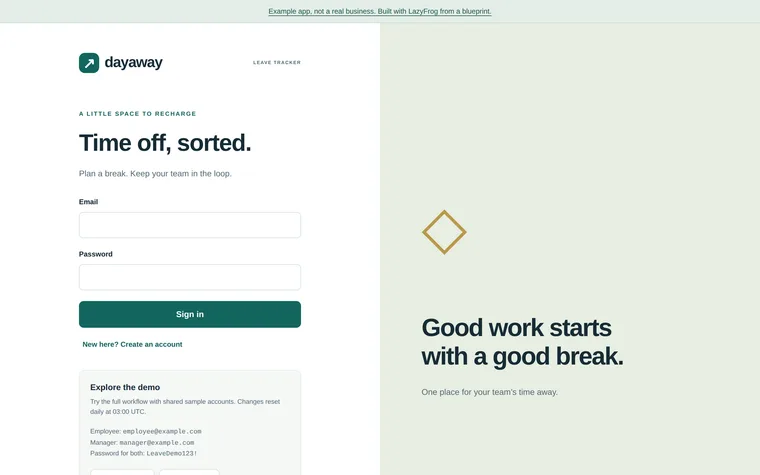
What Codex built from that prompt on 14 November 2026, in about 1 minute, then published as an example. Try it: what you add is put back every night.
| employee | employee@example.com | LeaveDemo123! |
|---|---|---|
| manager | manager@example.com | LeaveDemo123! |
The full spec
The same app with every detail named: the pages, fields and tables. Use it when you want exactly this app; the short prompt leaves those choices to your AI.
Use LazyFrog to build a leave and time-off tracker for my team. People sign in with email and password at /login (every other page needs signing in) and have a role: employee, manager or admin. People live in a table called employees (name, email, role, manager_id, annual_allowance in days) and requests in leave_requests (employee_id, start_date, end_date, days, type as annual, sick or unpaid, status as pending, approved or declined). Employees request leave and see their balance (allowance less this year's approved annual days); their manager or an admin approves or declines each request, and the employee gets an email either way (the decision is saved even while email isn't set up); admins manage people and allowances. /calendar shows the team's approved leave month by month. Add a small JSON API: POST /api/login with {"email", "password"} answers {"token"}, which the other /api routes take as Authorization: Bearer; POST /api/leave-requests with {"start_date", "end_date", "type"} answers 201 with {"id", "status"}; POST /api/leave-requests/<id>/approve and /decline work only for that person's manager or an admin. Start with six made-up people (one admin, one manager and four employees reporting to the manager, 25 days each) and a few requests. So I can try each role, make demo sign-ins for the admin, the manager and one of the employees, admin@example.com, manager@example.com and employee@example.com, in the preview only (when LF_ENV is preview; never on the live site), with the password the app reads from the secret DEMO_PASSWORD, which I add myself in the portal (Project › Secrets): don't set the preview's value, show it or write it anywhere; make or update those accounts from it whenever the app starts, and none while it isn't set. The live site has no demo accounts; so that publishing isn't refused for a secret set only on the preview, also set DEMO_PASSWORD for production yourself (secrets set with env production) to a long random value the live site never uses.
The full spec was built and checked on LazyFrog on 31 October 2026. It took about 8 minutes.