Education and creators
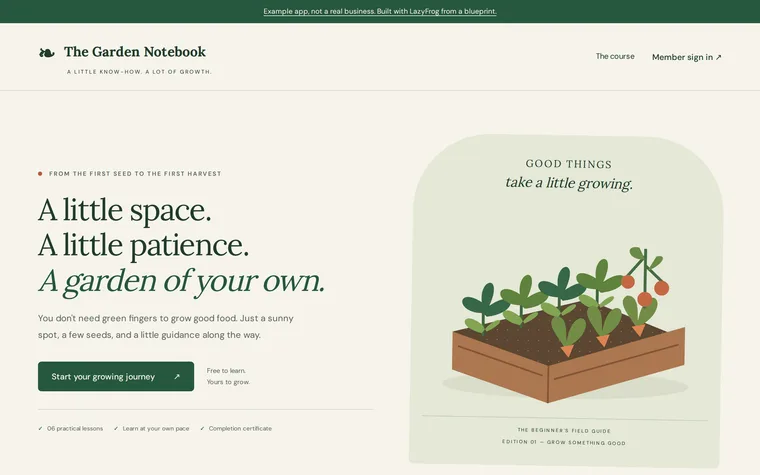
Online course with a members area
What you get
- Lessons with a video, text and a download
- Member sign-up and progress
- Paid access through your own Stripe
- A certificate PDF at the end
- Your lesson editor behind a password
The prompt
Change the names, prices and details to yours. Your AI needs LazyFrog connected first: two minutes.
Use LazyFrog to build an online course on starting a vegetable garden: lessons with a video and text, members who sign up and track their progress, and a certificate at the end.
The live demo
What Codex built from that prompt on 13 November 2026, in about 9 minutes, then published as an example. Try it: what you add is put back every night.
| Member | member@example.com | GrowDemo2026 |
|---|
The full spec
The same app with every detail named: the pages, fields and tables. Use it when you want exactly this app; the short prompt leaves those choices to your AI.
Use LazyFrog to build an online course with a members area: my course on starting a vegetable garden. Lessons go in a table called lessons (slug, position, title, body, video_url, file_path, free as true or false): a lesson's video is an embed address from YouTube or Vimeo, shown in an iframe, and its file is a download kept privately in the project's file store, served only to members who may open the lesson. I edit lessons and upload their files at /admin, protected with LazyFrog's protected pages (I'll choose the password in the portal), and see the members and their progress there. Members sign up at /signup with name, email and password (a table called members, with paid as true or false) and sign in at /login; free lessons are open to every member, the others only to paid members. A member marks a lesson done (a table called progress: member_id, lesson_id, done_at) and sees how far they are on /course. Access is a one-off £49 through Stripe Checkout on my own Stripe account, with Stripe's webhook marking the member paid; I'll add my Stripe key on LazyFrog's page for it, never in this chat, and until then the checkout says payments aren't set up yet. I can also give a member access myself (someone who paid another way). When every lesson is done, the member downloads a certificate PDF with their name, the course and the date. Add a JSON API for members: POST /api/signup with {"name", "email", "password"} and POST /api/login with {"email", "password"} answer {"token"}, which the other /api routes take as Authorization: Bearer; GET /api/lessons/<slug> answers {"title", "body", "video_url", "file_url"}, or 403 when the member may not open it; POST /api/lessons/<slug>/done (no body) marks it done; POST /api/checkout (no body) starts the payment; GET /api/certificate answers the PDF once every lesson is done, and 403 before. For me, POST /admin/api/members/grant with {"email"} gives that member access. Start with three lessons: welcome (free), planning and planting (both paid), each with a short body, a video embed address and a small PDF to download.
The full spec was built and checked on LazyFrog on 31 October 2026. It took about 5 minutes.