Restaurant
Restaurant website with table reservations
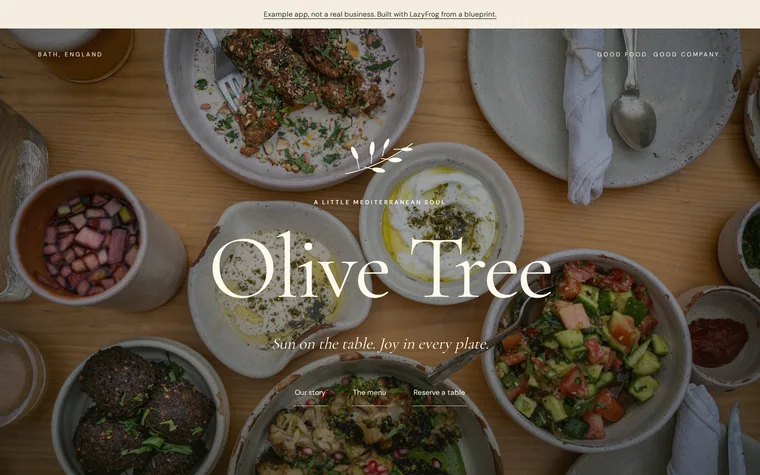
What you get
- Menu in sections
- Reservation form at /reserve
- Party size and time
- Reservations saved
The prompt
Change the names, prices and details to yours. Your AI needs LazyFrog connected first: two minutes.
Use LazyFrog to make a beautiful website for Olive Tree, a Mediterranean restaurant in Bath: big real photos of the food, the menu in sections with prices in pounds, and a table reservation form for parties of up to 10. For the look: sun-warm and Mediterranean, terracotta and olive on sand, an elegant serif with hand-drawn olive-branch details, a full-screen food photo with the logo and menu centred over it, and the menu laid out like a printed card with dotted price lines.
The live demo
What Codex built from that prompt on 14 November 2026, in about 3 minutes, then published as an example. Try it: what you add is put back every night.
The full spec
The same app with every detail named: the pages, fields and tables. Use it when you want exactly this app; the short prompt leaves those choices to your AI.
Use LazyFrog to make a website for my restaurant "Olive Tree". The home page has our menu in three sections (starters, mains, desserts) with a few dishes and prices each. A page at /reserve has a reservation form (fields name, email, party_size, time) that saves to a table called reservations and refuses a party of more than 10 with a friendly message.
The full spec was built and checked on LazyFrog on 24 October 2026. It took about 2 minutes.