Small shop
Stock list for a small shop
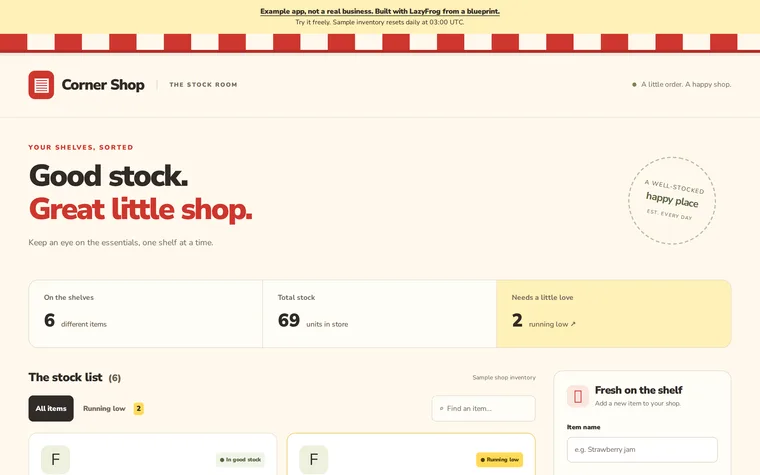
What you get
- Item list
- Add and update items
- Low-stock warning
- Kept in the database
The prompt
Change the names, prices and details to yours. Your AI needs LazyFrog connected first: two minutes.
Use LazyFrog to build a stock list for my shop: items with their quantity, a form to add them, and a warning when an item runs low. For the look: a cheerful corner shop, red-and-white awning stripes along the top, a bold rounded sans, items as big tiles with chunky quantity numbers, and a yellow running-low tag on anything that needs restocking.
The live demo
What Codex built from that prompt on 14 November 2026, in about 4 minutes, then published as an example. Try it: what you add is put back every night.
The full spec
The same app with every detail named: the pages, fields and tables. Use it when you want exactly this app; the short prompt leaves those choices to your AI.
Use LazyFrog to build a small stock-keeping app for my shop. Items live in a table called items (name, quantity, low_at). The home page lists every item with its quantity and marks items at or below their low_at in red. A form on the home page adds an item (fields name, quantity, low_at) with a POST to /items. Start with three example items.
The full spec was built and checked on LazyFrog on 24 October 2026. It took about 2 minutes.