Makes or resells products
Small-business ERP for making or reselling products
What you get
- Suppliers and purchase orders
- Products and stock
- Customer orders and invoices
- Reports by month
- Admin and staff roles
The prompt
Change the names, prices and details to yours. Your AI needs LazyFrog connected first: two minutes.
Use LazyFrog to build a small ERP for my candle business: suppliers and purchase orders, products and stock, customer orders with invoices, and monthly reports. Staff sign in.
The live demo
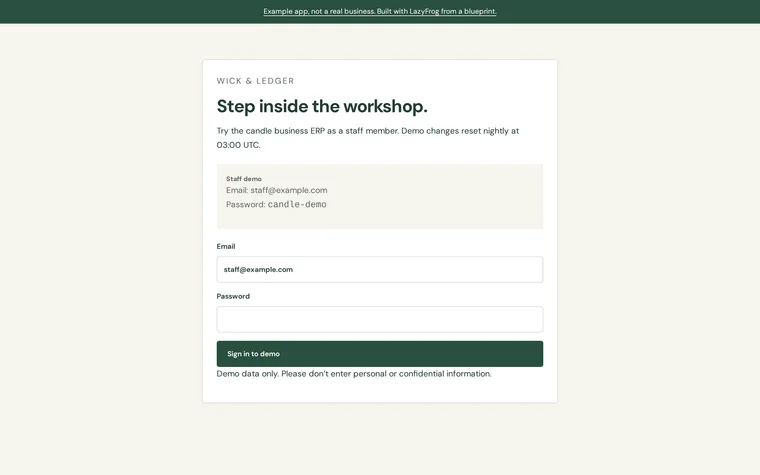
What Codex built from that prompt on 13 November 2026, in about 4 minutes, then published as an example. Try it: what you add is put back every night.
| Staff | staff@example.com | candle-demo |
|---|
The full spec
The same app with every detail named: the pages, fields and tables. Use it when you want exactly this app; the short prompt leaves those choices to your AI.
Use LazyFrog to build a small ERP for my business, which makes and resells candles. People sign in with email and password at /login (every other page needs signing in), as admin or staff. Suppliers go in a table called suppliers, products in products (sku, name, cost_price, sale_price, stock), purchase orders in purchase_orders and purchase_order_lines (receiving one adds its quantities to stock), and customers in customers with their orders in orders and order_lines. Orders start as drafts with any quantities; confirming one takes its quantities off stock (refused when there isn't enough) and creates its invoice in invoices (number like INV-0001, order_id, total, due_on, paid), which prints at /invoices/<id>. /reports shows sales, purchases, cost of goods and gross margin month by month, for admins only; staff can do everything else except managing users. Add a JSON API: POST /api/login with {"email", "password"} answers {"token"}, which the other /api routes take as Authorization: Bearer; POST /api/orders with {"customer", "lines": [{"sku", "quantity"}]} answers 201 with {"id"}; POST /api/orders/<id>/confirm answers {"invoice_number"}; GET /api/reports?month=2026-10 answers {"month", "sales", "purchases", "cost_of_goods", "gross_margin"}. Start with two suppliers, six products (one of them SKU CND-01 "Fig candle" with 40 in stock), three customers (one of them "Riverside Gifts"; an order's "customer" is the customer's name), and a few orders and purchase orders in October 2026. So I can try both roles, make demo sign-ins admin@example.com and staff@example.com in the preview only (when LF_ENV is preview; never on the live site), with the password the app reads from the secret DEMO_PASSWORD, which I add myself in the portal (Project › Secrets): don't set the preview's value, show it or write it anywhere; make or update those accounts from it whenever the app starts, and none while it isn't set. The live site has no demo accounts; so that publishing isn't refused for a secret set only on the preview, also set DEMO_PASSWORD for production yourself (secrets set with env production) to a long random value the live site never uses.
The full spec was built and checked on LazyFrog on 31 October 2026. It took about 4 minutes.